piątek, kwietnia 13, 2018

Well designed filesystem with poorly designed cmdline util

This is a story about btrfs and docker build server. Decomissioned hardware with AMD Phenom X4 was brought to life again after Intel Spectre/Meltdown bugs, however problem of not tightly installed RAM modules went unnoticed. Electrical connection between pins was not reliable and from time to time headless server was crashing due to corrupted memory. After cold restart it was working again. Until it was loaded with building docker images. Once ssh failed with I/O error from filesystem and after warm reboot server was dead. After attaching display it was visible that boot process crashed early on btrfs open_ctree_failed.

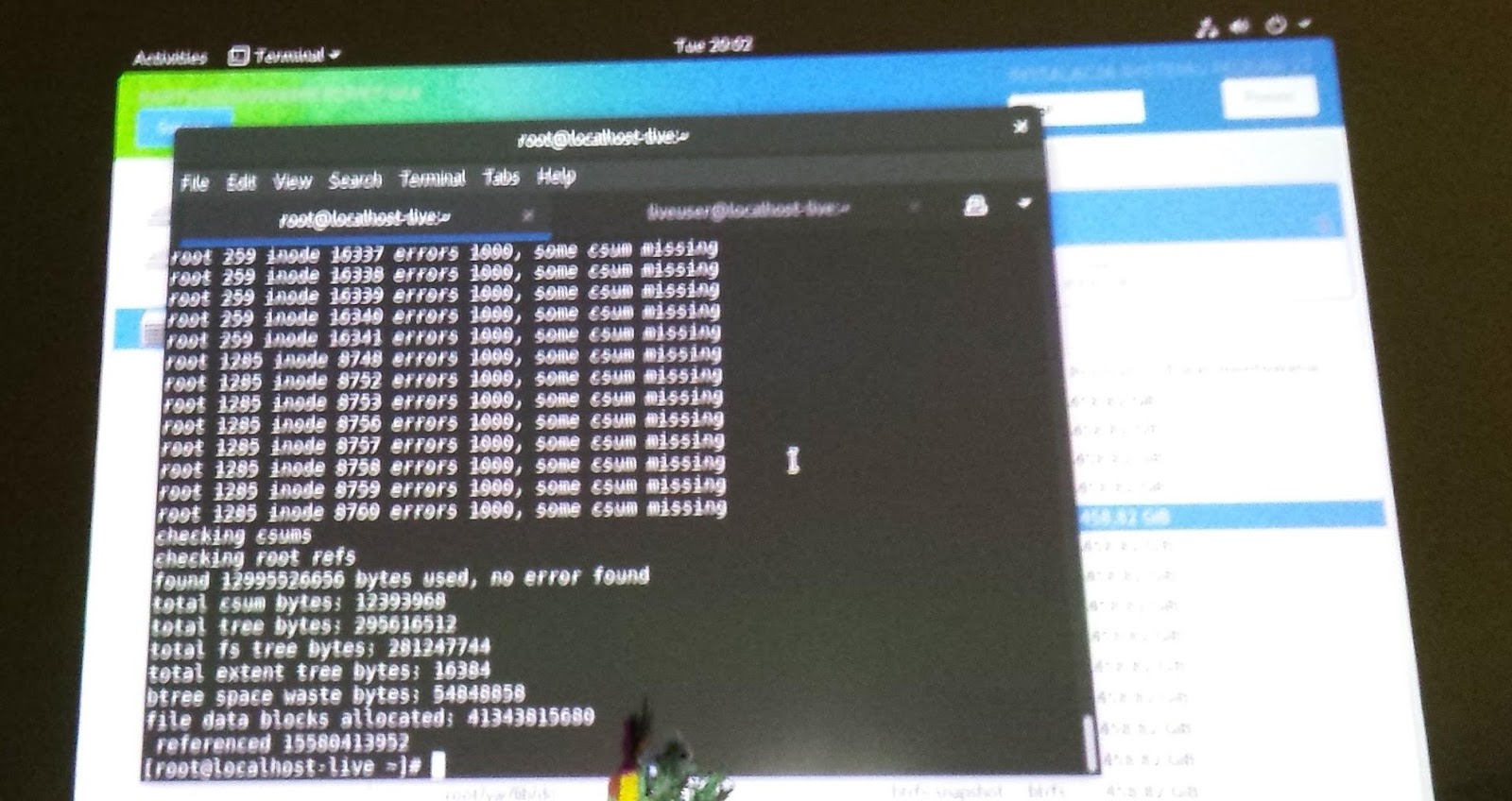
OK, there is initrd with btrfsck. Let's try btrfsck --repair. According to output there is a disaster.

Let's check what else we have with this tool: -b use the first valid backup root copy. Command line tool did something, but after --repair rerun still nothing. Assessment of situation: brtfs seriously damaged, no backup since it was simple server for building docker images. Nothing important was on disks, everything important was pushed to the cloud. Reinstall Linux, now with ZFS? OK, booting USB installer. Next, next, hmm - installer sees btrfs volumes. How is it possible? Running dmesg. Kernel sees partition, tries to reply transactions but fails with checksums.

OK, now: btrfsck --repair -b --init-csum-tree. Waiting....

Mounting. Now kernel fails with extents. How about: btrfsck --repair -b --init-csum-tree --init-extent-tree?

After many minutes fsck finishes and I'm able to mount fs read write. Listing content and there is /root and /home. Reboot and server is fully operational!

Filesystem is probably rock solid, but fsck is written this way that it totally doesn't help people to recover filesystem.


piątek, kwietnia 06, 2018

Tibco BusinessWorks 5 in Docker is very simple

[builder@box opt]# docker build -t "tibco/eaistack" .
Sending build context to Docker daemon  581.7MB
Step 1/9 : FROM adoptopenjdk/openjdk9-openj9:jdk-9.181
 ---> f5e644bfbf5e
Step 2/9 : MAINTAINER Tibco Developer tibco.developer@company.com
 ---> Using cache
 ---> f72e93d7d0bf
Step 3/9 : ENV PROJECT Project
 ---> Running in 1162b66a8ff7
Removing intermediate container 1162b66a8ff7
 ---> bc4dc5f91389
Step 4/9 : RUN useradd -c 'Tibco user' -m -d /opt/tibco -s /bin/bash tibco
 ---> Running in aadb73ea6fce
Removing intermediate container aadb73ea6fce
 ---> cfa3f370c3ea
Step 5/9 : COPY tibco /opt/tibco
 ---> f755316e4ab5
Step 6/9 : RUN chown -R tibco:tibco /opt/tibco
 ---> Running in ceeca78eff6e
Removing intermediate container ceeca78eff6e
 ---> 7df870209be9
Step 7/9 : USER tibco
 ---> Running in a87922428472
Removing intermediate container a87922428472
 ---> 45581051bfd7
Step 8/9 : ENV HOME /opt/tibco
 ---> Running in 9cc9a18712a1
Removing intermediate container 9cc9a18712a1
 ---> fe1eb6c10268
Step 9/9 : ENTRYPOINT cd /opt/tibco/bw/5.13/bin; ./bwengine /opt/tibco/$PROJECT
 ---> Running in 646514a92838
Removing intermediate container 646514a92838
 ---> b5eaf0052739
Successfully built b5eaf0052739
Successfully tagged tibco/eaistack:latest
[builder@box opt]#

[builder@box opt]# docker run -i -t tibco/eaistack
Using work space directory /opt/tibco/bw/5.13/bin/working/5b987d721310
Creating trace file /opt/tibco/bw/5.13/bin/logs/5b987d721310.log
Using XMLReader org.apache.xerces.jaxp.SAXParserImpl$JAXPSAXParser
2018 Apr 05 21:28:16:375 GMT +0000 BW.5b987d721310 Info [BW-Core] BWENGINE-300001 Process Engine version 5.13.0, build V24, 2015-8-11
2018 Apr 05 21:28:16:423 GMT +0000 BW.5b987d721310 Info [BW-Core] BWENGINE-300009 BW Plugins: version 5.13.0, build V24, 2015-8-11
2018 Apr 05 21:28:16:433 GMT +0000 BW.5b987d721310 Info [BW-Core] BWENGINE-300010 XML Support: TIBCOXML Version 5.60.0.003
2018 Apr 05 21:28:16:433 GMT +0000 BW.5b987d721310 Info [BW-Core] BWENGINE-300011 Java version: Eclipse OpenJ9 VM 2.9
2018 Apr 05 21:28:16:434 GMT +0000 BW.5b987d721310 Info [BW-Core] BWENGINE-300012 OS version: amd64 Linux 4.15.14-300.fc27.x86_64
2018 Apr 05 21:28:18:770 GMT +0000 BW.5b987d721310 Info [BW-Core] BWENGINE-300013 Tibrv string encoding: UTF-8
creating file: /opt/tibco/bw/5.13/bin/working/5b987d721310/internal/nextJobidBlock
2018 Apr 05 21:28:19:514 GMT +0000 BW.5b987d721310 Info [BW-Core] BWENGINE-300002 Engine 5b987d721310 started
2018 Apr 05 21:28:19:777 GMT +0000 BW.5b987d721310 User [BW-User] - Job-1 [Entrypoint.process/Log]: BW Engine works fine
2018 Apr 05 21:28:19:784 GMT +0000 BW.5b987d721310 Info [BW-Core] BWENGINE-300014 Starting delayed shutdown, max-delay=[0], wait-for-checkpoints=[false]
2018 Apr 05 21:28:19:787 GMT +0000 BW.5b987d721310 Debug [BW-Core]  Shutdown max timeout exceeded, 0 jobs still running
job dispatcher with 8 threads, max queued = 1
2018 Apr 05 21:28:19:791 GMT +0000 BW.5b987d721310 Info [BW-Core] BWENGINE-300006 Engine 5b987d721310 terminating
[builder@box opt]#

[builder@box bw-time]# docker build -t tibco/bw-time .
Sending build context to Docker daemon  49.66kB
Step 1/5 : FROM tibco/eaistack:latest
 ---> b5eaf0052739
Step 2/5 : MAINTAINER Tibco Developer tibco.developer@company.com
 ---> Running in 249c3146f07c
Removing intermediate container 249c3146f07c
 ---> c275aa789efb
Step 3/5 : COPY BW-HTTP-Time /opt/tibco/projects/BW-HTTP-Time
 ---> a4aa2d95814e
Step 4/5 : ENV PROJECT projects/BW-HTTP-Time
 ---> Running in 7f65638aaab0
Removing intermediate container 7f65638aaab0
 ---> 4783982bc9ae
Step 5/5 : EXPOSE 8080
 ---> Running in 433e6a02617d
Removing intermediate container 433e6a02617d
 ---> a02dc0366ab0
Successfully built a02dc0366ab0
Successfully tagged tibco/bw-time:latest
[builder@box bw-time]#

[builder@box bw-time]# docker run -d -p 8090:8080 tibco/bw-time
[builder@box bw-time]# curl http://localhost:8090

Current dateTime is 2018-04-05T22:05:55.22Z


poniedziałek, kwietnia 02, 2018

Spring Framework 5 and Docker


Very soon with shared classes support on OpenJ9 - https://github.com/eclipse/openj9/issues/1244. Now unpack fat jar, delete google collections and run like this:


Please notice that very simple REST service consumes 32MB of disk space. If we have local docker registry it's not a problem. In case we use cloud we can optimize this size creating master docker image with common unpacked libs and then our dockerfile for single application should be derived from this master image. If we need orchestration of Spring applications we should put them inside Docker Swarm's stacks with replica count providing appropriate level of HA - ingress network with own service/name resolving will automagically take care of HA/LB.

Since the hell is frozen you can create Spring 5 application on Linux with Visual Studio Code and push it to Azure as a docker image.


Java - write once, deploy everywhere.


Remark for Eclipse OpenJ9: to control memory settings via environment variables use IBM_JAVA_OPTIONS instead of _JAVA_OPTIONS.

środa, marca 28, 2018

Hot to abuse NVDIMM support in Java 10

Java 10 allows for memory allocation in a place different than plain RAM. The idea was to support Intel Optane and similar things, but we can abuse that feature to run Java applications in compressed memory or in filesystem. Let's play with something small.

Prerequisites:
root@user-Aspire-ES1-431:~# modinfo zram
filename:       /lib/modules/4.14.20-041420-generic/kernel/drivers/block/zram/zram.ko
description:    Compressed RAM Block Device
author:         Nitin Gupta
license:        Dual BSD/GPL
srcversion:     98BCA9B63810EF5DB65BF87
depends:     
retpoline:      Y
intree:         Y
name:           zram
vermagic:       4.14.20-041420-generic SMP mod_unload
signat:         PKCS#7
signer:       
sig_key:     
sig_hashalgo:   md4
parm:           num_devices:Number of pre-created zram devices (uint)
root@user-Aspire-ES1-431:~# modprobe zram num_devices=4
root@user-Aspire-ES1-431:~# echo 1G > /sys/block/zram0/disksize
[ 2562.326469] zram0: detected capacity change from 0 to 1073741824
root@user-Aspire-ES1-431:~# mkfs.ext4 /dev/zram0; mount /dev/zram0 /cmem
mke2fs 1.43.5 (04-Aug-2017)
Discarding device blocks: done                         
Creating filesystem with 262144 4k blocks and 65536 inodes
Filesystem UUID: f8ddae16-ebd4-4615-80c3-8cf60a448526
Superblock backups stored on blocks:
32768, 98304, 163840, 229376

Allocating group tables: done                         
Writing inode tables: done                         
Creating journal (8192 blocks): done
Writing superblocks and filesystem accounting information: done

We see here that even with filesystem and compression overhead solution AllocateHeapAt zram isn't very slow. We can put Java EE into zram and fit the same set of applications using one node instead of two. Very tempting. Maximum heap size is set to 512MB (fake NV) and we still use RAM.


And now killer feature: run Java application in filesystem (/tmp). Why it is not slow? Linux has got very good filesystem cache.


[pid 31442] openat(AT_FDCWD, "/cmem/storage//jvmheap.d3tNHS", O_RDWR|O_CREAT|O_EXCL, 0600) = 4
[pid 31442] unlink("/cmem/storage//jvmheap.d3tNHS" 
[pid 31442] fallocate(4, 0, 0, 536870912 
[pid 31442] mmap(0xe0000000, 536870912, PROT_READ|PROT_WRITE, MAP_SHARED|MAP_FIXED, 4, 0) = 0xe0000000
[pid 31442] close(4)                    = 0

If the name passed to unlink was the last link to a file but any processes still have the file open, the file will remain in existence until the last file descriptor referring to it is closed. Access to nvdimm memory visible as filesystem and allocated via files must be secure. No other process should be able to alter memory file and unlink is used for that together with exclusive file access. The munmap() system call deletes the mappings for the specified address range, and causes further references to addresses within the range to generate invalid memory references. The region is also automatically unmapped when the process is terminated. On the other hand, closing the file descriptor does not unmap the region. It is not possible for any Java thread to access file descriptor of memory file, because this descriptor is gone. Security gives us also good cleanup.

In case heap is mmaped from /tmp we use memory from filesystem buffers - we have swapping at application level, controlled by us, not by the OS which can hit any application. In case of zram we have transparent memory compression.

środa, marca 07, 2018

Dynatrace OneAgent and Tibco

Dynatrace dynamically injects own JMS properties for tracing. Seeing the same identifier on service provider and client association can be deduced.

Tracing HTTP activities inject HTTP header.

Here is traced SOAP WS call.

BW has got a bug of closing ServletOutputStream twice. With some tracing overhead Tomcat is fast enought to recycle buffer before next close() and Dynatrace (without special workaround walks) into NullPointerException.

Thanks to injected tracing Smartscape can draw a network of connections between services.

Tibco is supported with generic HTTP and JMS approach. 


Dyntrace shows us a nice profiling statistics, however it is not aware about Tibco BW process definitions, so we get everything in one bag.


wtorek, marca 06, 2018

Docker Swarm & Stack


sobota, marca 03, 2018

OpenJ9

https://www.slideshare.net/MarkStoodley/javaone-2017-mark-stoodley-open-sourcing-ibm-j9-jvm

poniedziałek, lutego 26, 2018

Continuosly updated CDM entities BW pattern

With one (or more) publisher(s) of CDM entity and many subscribers a single change in canonical data model forces all subscribers to adjust. With smart approach on BW side done once no furter adjustment is needed:
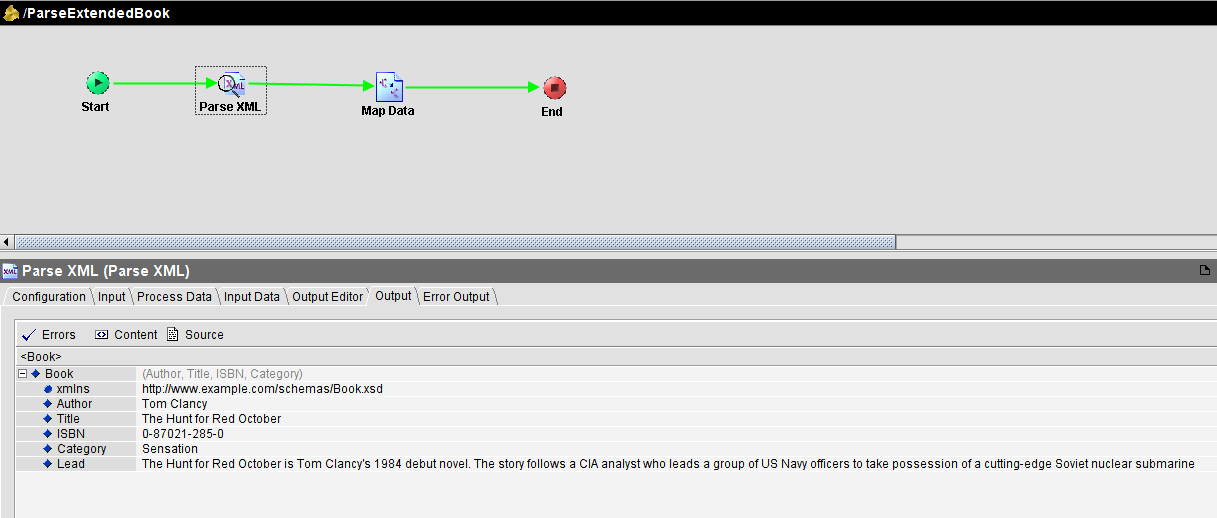
Parse XML string retrieved from transport against selected XSD entity but with input validation disabled. In next step map this data using for-each - designer proposes currently known fields/elements. In case data format is changed and new fields are added to the end of sequence they will be parsed but will be omitted in mapper. We still have data validation in mapper, but only on known (as of development) fields.


sobota, lutego 24, 2018

AMD bez dziury Meltdown


czwartek, lutego 22, 2018

How to output compressed data with HTTP in Tibco BW

Headers are important. Use Java Code to write string to GZIPOutputStream mapped by ByteArrayOutputStream.

How to bridge HTTP to SFTP with CA API Gateway


czwartek, stycznia 25, 2018

Ubuntu 17.10 window buttons like in Unity

gsettings set org.gnome.desktop.wm.preferences button-layout 'close,minimize,maximize:'

środa, stycznia 17, 2018

How to enable properly EMS compression


poniedziałek, stycznia 08, 2018

Bridges and slow consumer

Here what happens when we bridge standard communication to one slowly consumed topic: data store grows and becomes fragmented causing additional delay in EMS processing. It will be especially visible in SAP request-reply activities:


niedziela, stycznia 07, 2018

Google is going to win with Amazon

This year I visited Amazon Gdansk. I also bought Amazon Alexa Echo Dot and did black box testing and analysis of possible Alexa design. I spent about 6 hours learning organization and verifying my assumptions about Alexa (much more hacking round speaker). Do you remember Google Chrome based on KDE's KHTML starting with single digit marker share? Now Google browser is a leader. I didn't believe in Amazon success.


Understanding Tibco BW Checkpoint

BW Checkpoint activity writes BW JobData to disk or database. In case BW process is killed engine can read file or database entry and resume from saved JobData. When BW process finishes checkpoint data is deleted. It is important to understand function of this activity. It helps to preserve input volatile data and prevent duplicates. Please notice that pattern JMS Queue Receive + Send used with acknowledge mode = Client produces duplicates. Acknowledge mode local transactional works only in simple scenarios and cannot be applied to every possible combination of BW activities. Transactional JMS processing in BW is possible with XA, however XA is buggy. So the simplest pattern to prevent duplicates in 99% is checkpoint.
When you process important data in BW and target system is not idempotent, you cannot pass duplicates.

Let's get back to Checkpoint activity. It can be implemented with filesystem or database. In case of high volume of concurrent large messages database is under heavy load with clob data: "INSERT INTO $table(job_id, engine_name, job_data) VALUES (?,?,?)". However to prevent duplicates in active-active deployment database is the only option to not lock data in failed BW instance. What about file implementation? It uses FileOutputStream with close() and without OS fsync() via FileChannel.force(). Java close() method does not call underlying OS close() immediately but only via Java finalizer. Only force() gives strong consistency guaranty: If this channel's file resides on a local storage device then when this method returns it is guaranteed that all changes made to the file since this channel was created, or since this method was last invoked, will have been written to that device. This is useful for ensuring that critical information is not lost in the event of a system crash. There is engine property bw.engine.checkpoint.file.besteffortsync causing 2 phase checkpointing (save to file and rename). Please check Tibco Support knowledge base:

BW 5.3.3 hf14, BW 5.6.1

1-8H96WT
  An empty checkpoint data file was created if the system crashed or 
  shutdown abruptly while checkpoint data was being written to the
  file. It may result in messages being lost. This is fixed by 
  introducing a new engine property, 
  'bw.engine.checkpoint.file.besteffortsync'. By default, the property
  is set to false. Setting this property to true addresses the problem,
  but introduces a performance delay.

In Linux file memory buffers are flushed to disk every 5 seconds. Please consult https://www.kernel.org/doc/Documentation/sysctl/vm.txt:

dirty_writeback_centisecs

The kernel flusher threads will periodically wake up and write `old' data
out to disk.  This tunable expresses the interval between those wakeups, in
100'ths of a second.

Setting this to zero disables periodic writeback altogether.

BW jobs which end sooner that 5s from checkpoint do not write to disk any data. Long running processes write files using Linux IO scheduler optimizations (deadline, cfq). To summarize: BW file checkpoint on Linux is not a serious performance problem when used wisely.

środa, stycznia 03, 2018

Danfoss Eco firmware reader

wtorek, stycznia 02, 2018

Jak z komórki zmieniać kanały Supermedia

W aplikacji SURE należy wybrać urządzenie ADB

Danfoss Eco

Gdyby grzejniki w mieszkaniu były takie mądre, żeby same zmniejszyły temperaturę na noc, a potem nagrzały pokój tuż przed wstawaniem do pracy. Żeby po wyjściu do pracy grzejniki ustawiały się same na 17C. A w sobotę i niedzielę, żeby grzały później niż w dni robocze. Żeby można było stworzyć harmonogram na cały tydzień. Można. Są na rynku termostaty Danfoss Eco programowane z komórki za pomocą protokołu Bluetooth.

Na dole temperatura z harmonogramu lub ustawiona ręcznie (i obowiązująca do następnej zmiany automatycznej), na górze temperatura zmierzona przez termostat.

Aktualnie widoczne po protokole Bluetooth termostaty. Zasięg komunikacji wynosi do 10m.

Adaptive learning pozwala na uczenie się termostatu jak bardzo ma odkręcić zawór, żeby uzyskać docelową temperaturę. Po 7 dniach termostat powinien optymalnie utrzymywać zadane wartości. W przypadku otwartego salonu i/lub grzejnika w pobliżu drzwi balkonowych kontrolę ciepła (Heat control) należy ustawić na Moderate (vs Quick) - nagrzane powietrze szybko ucieka i należy założyć większą bezwładność wynikową grzejnika.


Gdzie są domyślne temperatury? Z prawej strony ekranu. Trzeba wykonać ruch slide.


Jak to może działać? Temperaturowy zakres pracy urządzenia to 0-40C. Rodzielczość pół stopnia. Pomiary temperatury co 10 minut, a ustawianie co 30 minut. Tablica do adaptacji może wyglądać tak: czas [0-48], T zadana, T początkowa, T wynikowa, l - długość po obwodzie wykręcenie zaworu. Urządzenie sprawdza czy dla danego czasu i zadanej temperatury ma wpis. Jeśli tak to sprawdza T początkową. Jeśli są takie same to sprawdza T wynikową. Jeśli wartość wynikowa równa się zadanej to używa historycznej wartości l. Jeśli wartość wynikowa jest większa l musi być mniejsze, w przeciwnym wypadku większe. Po upływie cyklu 30 minut urządzenie zapisuje aktualne parametry. Temperatury i wartość l dadzą się zapisać w 8 bitach, a cały wpis tablicy na 32-bitowej liczbie całkowitej, dlatego liniowe skanowanie tablicy w celu znalezienia najlepszego wpisu [T zadana, T początkowa] jest szybkie. Mikrokontroler może być bardzo prosty. Stos Bluetooth może jednak wymagać SoC ARM.